
What Is the WhatsApp Business API?
The WhatsApp Business API is a programming interface from Meta that lets your software send and receive WhatsApp messages at scale - connecting your CRM, helpdesk, chatbot, or app directly to WhatsApp's messaging system.
Meta officially calls it the WhatsApp Business Platform, and when people say "WhatsApp Business API" today, they almost always mean the Cloud API - the version Meta hosts on its own servers.
The key thing to understand is what it isn't:
- No app, no screen of its own - unlike the WhatsApp Business app you download on a phone, the API has no interface.
- A technical layer - your code talks to it through REST requests and webhooks.
- Built for scale - designed for volume, multiple agents, and automation, not tapping out replies by hand.
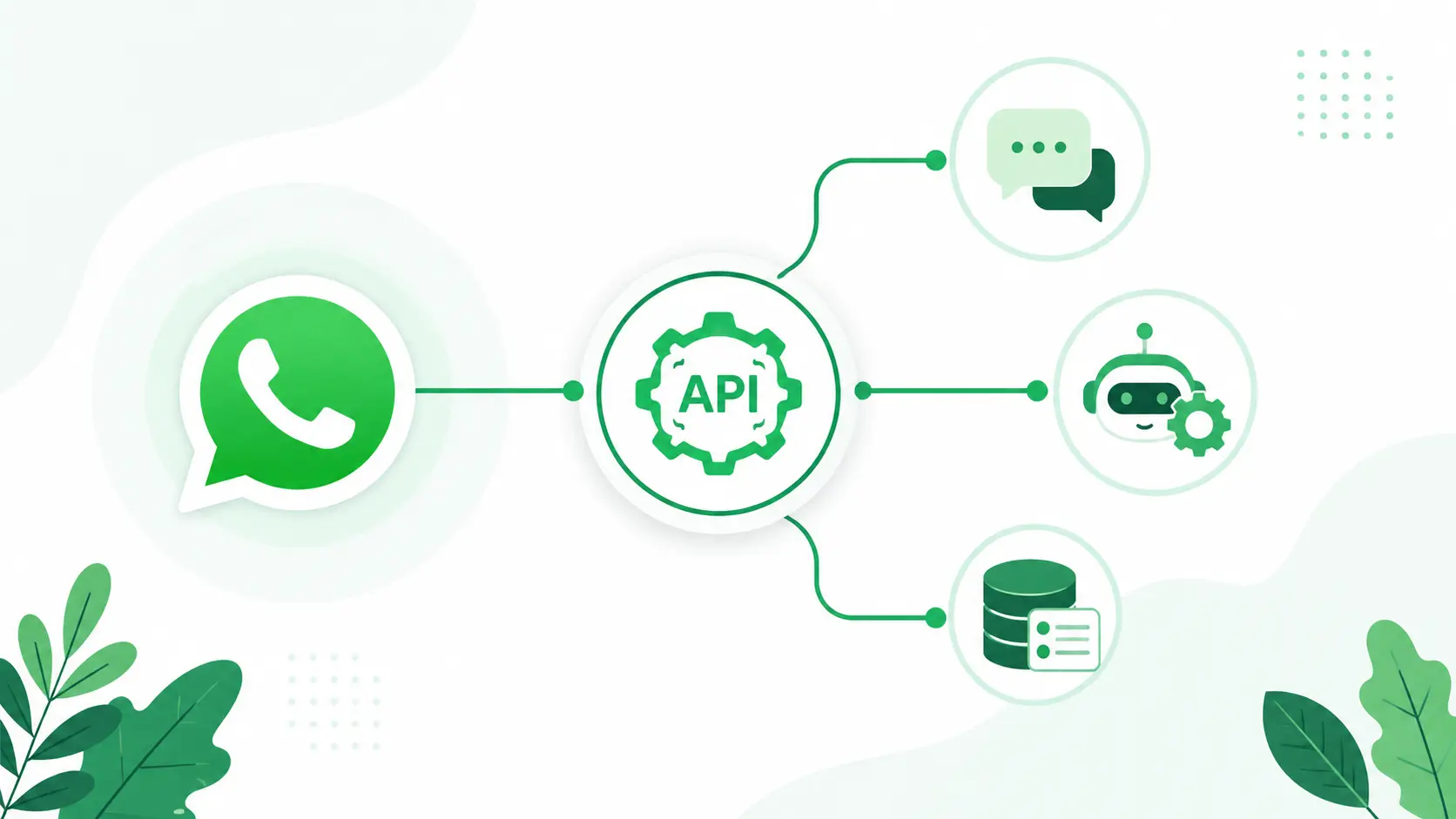
How the WhatsApp Business API Works
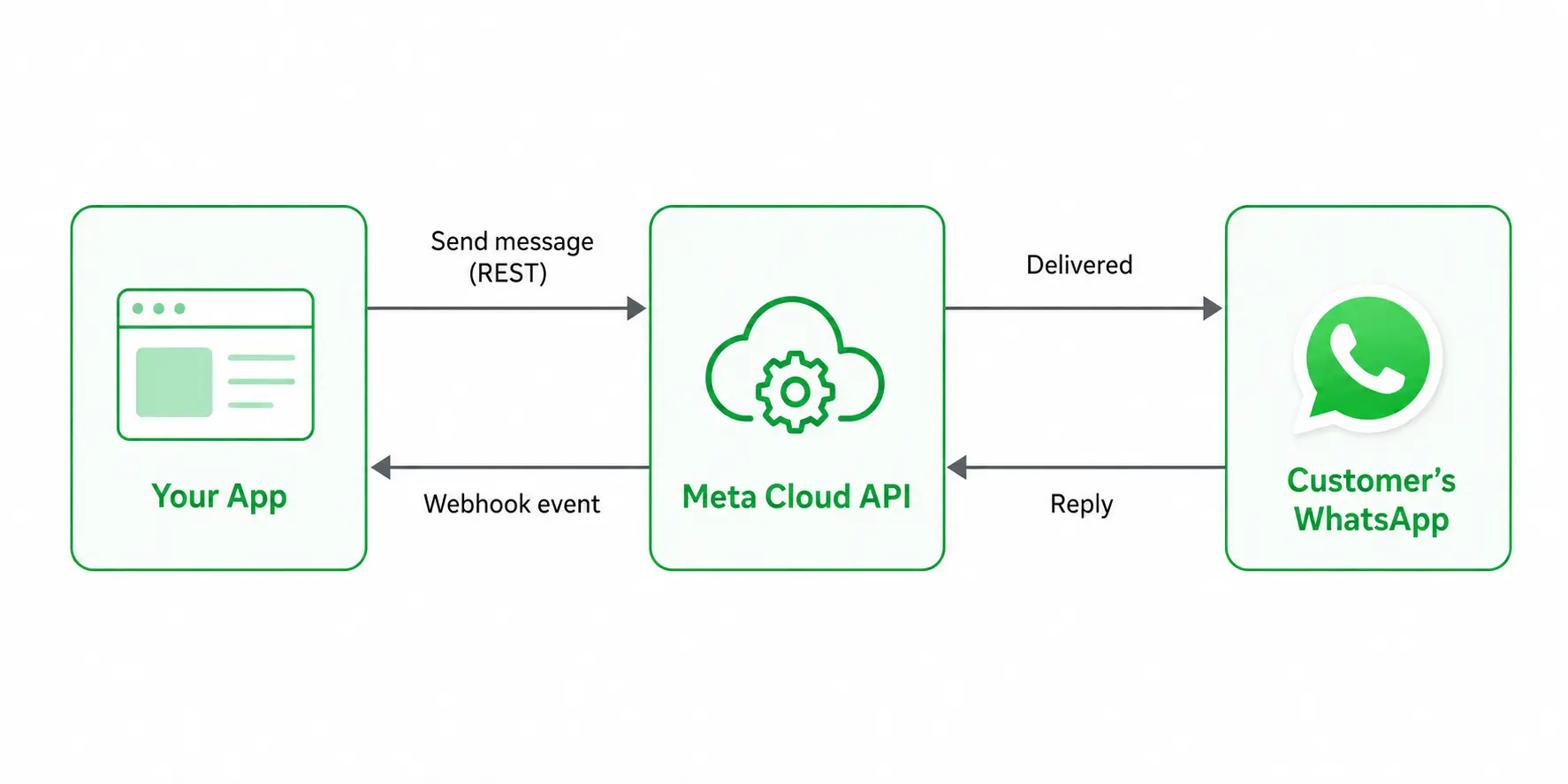
It runs on a webhook-based model: your app connects to Meta's Cloud API, sends messages through Meta's endpoints, and receives incoming messages and status updates as webhook events. To run it, you need three things:
- A Meta Business portfolio - your verified business identity on Meta.
- A WhatsApp Business Account (WABA) - holds your business profile and phone number.
- A dedicated phone number - one not already tied to a personal or Business-app WhatsApp account.
From there, you connect in one of two ways:
- Directly through Meta's Cloud API - you build and maintain the webhook, template, and compliance layer yourself.
- Through a Business Solution Provider (BSP) - a provider wraps the API in a managed interface.
Most teams pick a BSP, because building and maintaining a direct Meta integration usually costs more than the provider's fee.
WhatsApp Business API vs. the WhatsApp Business App
They sound alike but solve different problems - and one phone number can only live on one of them at a time, so you have to choose:
- WhatsApp Business App - a free phone app for small teams handling conversations manually. No coding, but no real automation or integration.
- WhatsApp Business API - no app to install; connects WhatsApp to your own software for chatbots, multiple agents, bulk template messaging, and CRM integration.
Most businesses start on the app and move to the API once they outgrow manual replies and need to scale.
Cloud API vs. On-Premise API: What Changed in 2025
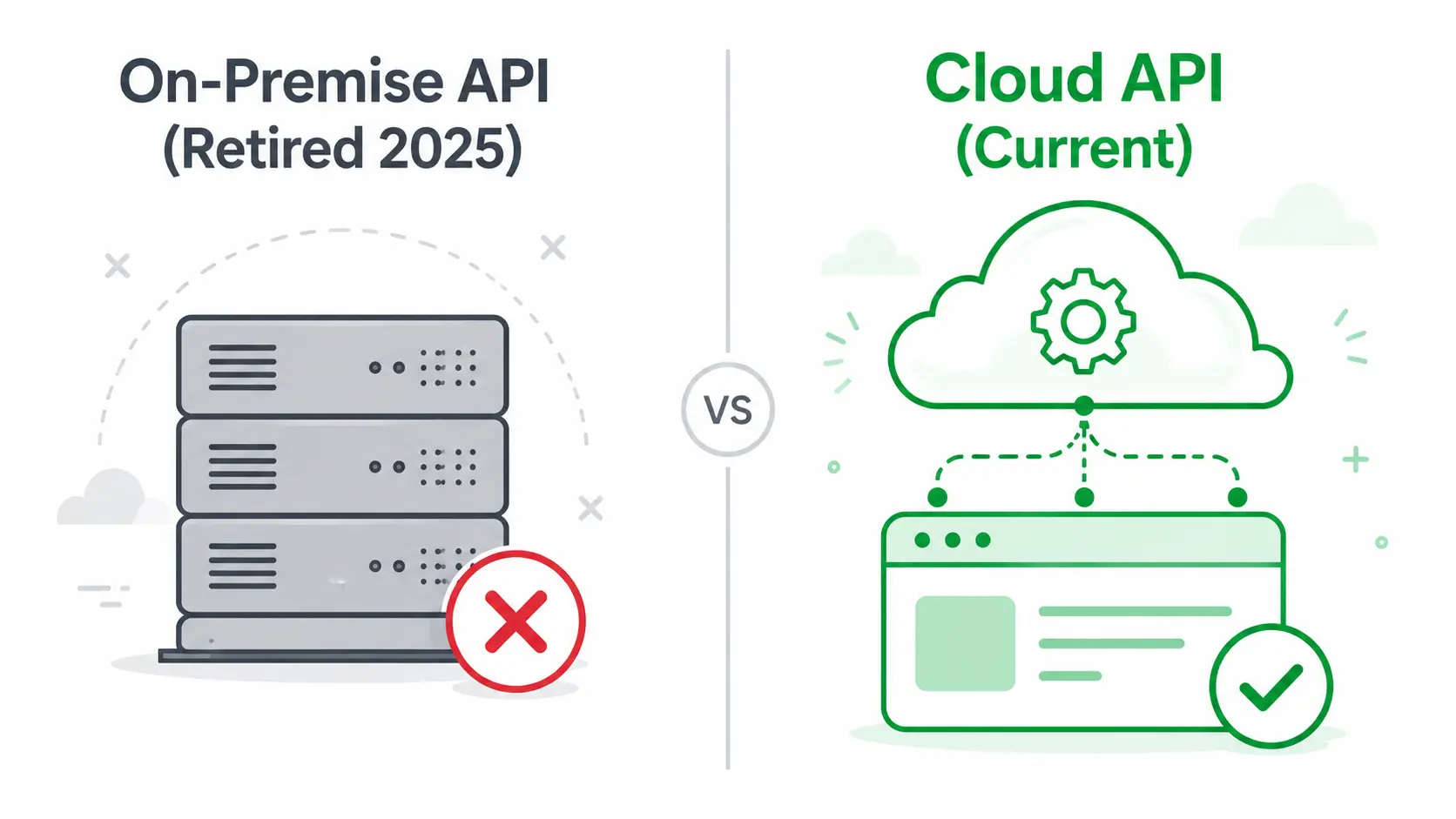
Short version: there's no real choice to make anymore. Meta sunset the On-Premise API on October 23, 2025, so every new WhatsApp Business API integration now runs on the Cloud API. If a guide still walks you through setting up an On-Premise server, it's out of date.
What the Two Versions Were
- On-Premise API - the original 2018 version. You self-hosted it: your own server, a database to manage, and TLS certificates and security patches to maintain yourself.
- Cloud API - launched by Meta in 2022 and hosted entirely on Meta's servers. No infrastructure to run; you just call Meta's endpoints.
What Changed and When
- July 2024 - Meta stopped accepting new sign-ups to the On-Premise API.
- October 23, 2025 - the On-Premise API was officially sunset. Numbers still on it can no longer send or receive messages.
- Now - business phone numbers can only be registered on the Cloud API. Trying to register one for On-Premise returns an error.
Why Meta Moved Everyone to Cloud
The switch wasn't arbitrary. Meta reports the Cloud API is faster, cheaper to run, and more reliable than the self-hosted version:
- No infrastructure cost - Meta hosts it, so the server, database, and maintenance burden disappears.
- Higher throughput - Cloud API handles far more messages per second than On-Premise did.
- Better uptime and security - Meta cites 99.9% uptime plus enterprise certifications like SOC2 and GDPR compliance.
The practical takeaway: when anyone says "WhatsApp Business API" in 2026, they mean the Cloud API. The only real decision left is how you access it - directly through Meta or through a provider - which the setup section covers next.
Why Businesses Use the WhatsApp Business API
The short reason: people read WhatsApp messages, and they read them fast. WhatsApp messages land on the lock screen, with open rates widely reported to exceed 90% - far above email, where most messages go unopened. For a business trying to reach customers reliably, that's the appeal in one figure.
But a high open rate only matters if you can act on it at scale. Here's what the API adds over the free Business app:
- Automation - chatbots and AI agents handle FAQs, order tracking, and lead qualification 24/7, then hand off to a human when needed.
- Scale and multiple agents - a whole team can work the same number, instead of one phone with one app.
- System integration - connect WhatsApp to your CRM, helpdesk, or e-commerce backend so conversations and data stay in sync.
- Notifications at volume - send order confirmations, shipping updates, reminders, and reorder nudges programmatically.
What Businesses Actually Do With It
Those capabilities turn into three jobs the API is most often hired for:
- Customer support - many customers prefer messaging to phone or email; agents handle several chats at once, cutting wait times and cost.
- Sales and commerce - customers browse, ask, and order inside one conversation, which shortens the sales cycle.
- Marketing - opt-in broadcasts and re-engagement campaigns reach customers on a channel they actually check.
What You Need to Set Up the WhatsApp Business API
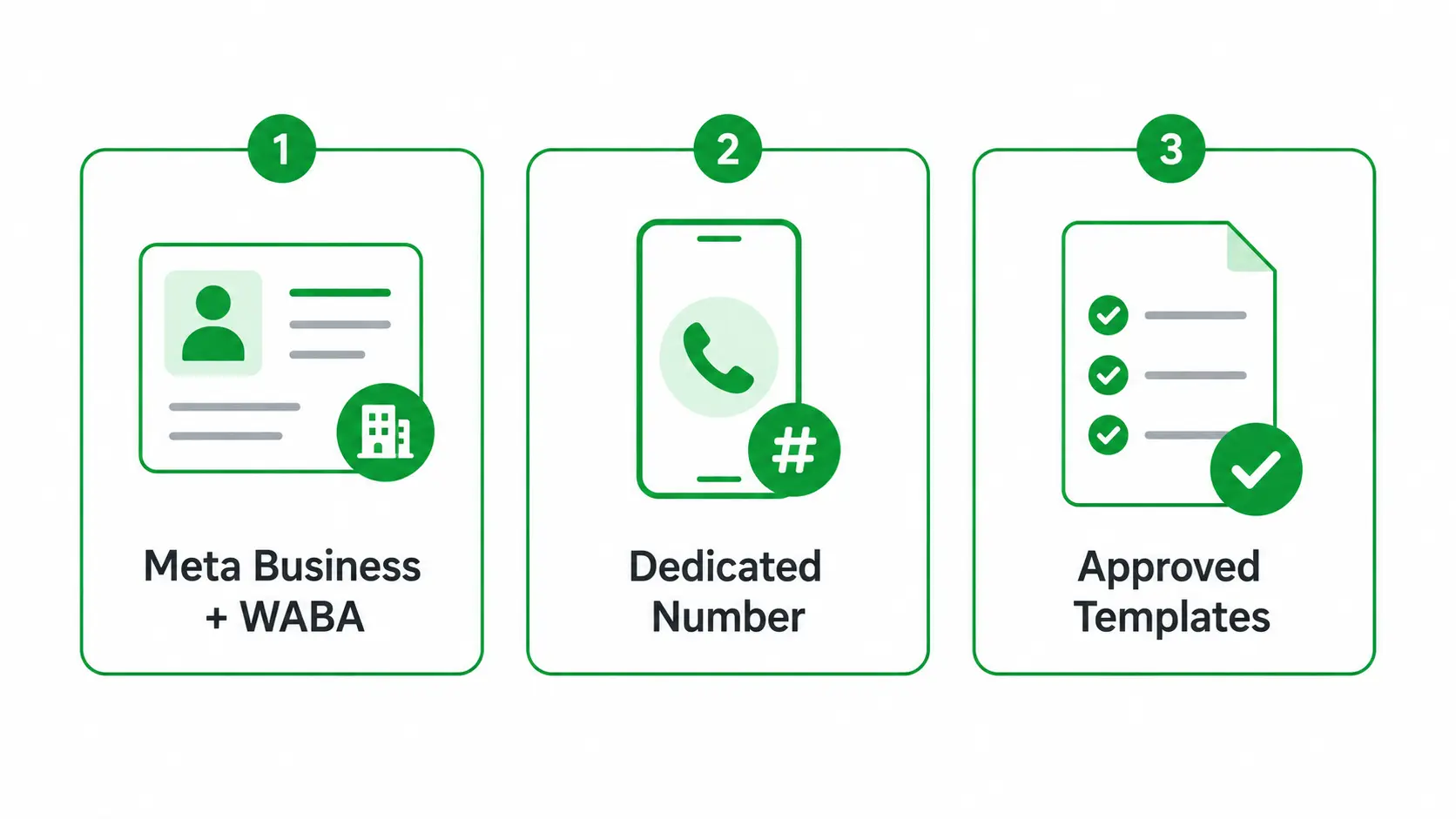
Before you can send a single message, three pieces have to be in place: a Meta business identity, a phone number that isn't already on WhatsApp, and at least one approved message template. Here's what each one is and why it matters.
Meta Business Manager and a WhatsApp Business Account (WABA)
These are two separate things that work together, and the naming trips people up:
- Meta Business Portfolio (formerly Business Manager) - your business's identity on Meta, set up at business.facebook.com. It's separate from your personal Facebook account and from any Facebook Page.
- WhatsApp Business Account (WABA) - the container that holds your phone numbers, business profile, and message templates. You need one to send or receive any messages.
To lift the default sending limits, you'll also need to complete Meta Business Verification - uploading documents like a tax ID or incorporation papers. Without it, you're capped at 250 business-initiated conversations a day. Verification typically takes a few business days.
A Dedicated Phone Number
The API needs its own phone number, and there's one rule that catches people out: a number can only live on one WhatsApp product at a time.
- It must be free of WhatsApp - a number already tied to a personal WhatsApp or the WhatsApp Business app can't be used until you delete it from there first.
- It must receive an SMS or call - Meta sends a verification code to confirm you control it.
- New accounts start with limits - a fresh business portfolio is capped at two registered numbers until verification raises it.
Approved Message Templates
This is the rule that defines how WhatsApp messaging works. You can't freely message anyone whenever you want:
- The 24-hour window - you can only send free-form replies within 24 hours of a customer's last message.
- Templates for everything else - to start a conversation or reply after that window, you must use a message template Meta has pre-approved.
You create templates in WhatsApp Manager, assign each a category (Marketing, Utility, or Authentication), and submit for review. Approval is usually fast - minutes to a few hours - but templates get rejected for promotional language in a utility category, missing opt-out instructions, or spammy wording. A WABA can hold up to 250 templates.
Get these three in place and the API is ready on Meta's side. The next section walks through the actual setup steps in order.
How to Set Up a WhatsApp Business API Account (Step by Step)
Setup splits into two paths, and which one you pick changes how much you do by hand:
- Direct Cloud API - you work through Meta's developer portal yourself: create an app, connect the number, configure webhooks, and handle templates. Lower per-message cost, but every operational feature is your dev team's job.
- Through a BSP - a Meta-approved provider runs an Embedded Signup flow that automates setup and hands you a working dashboard on day one, for a platform fee on top of Meta's charges.
The steps below follow the direct Cloud API path. A BSP collapses the middle steps into one guided pop-up. (Note that since Meta retired the On-Premise API in 2025, the Cloud API is the only path for new builds.)
The Direct Cloud API Setup
- Create a Meta app - at developers.facebook.com, create a new app of type Business and add the WhatsApp product. This links your business to the API and creates a WABA.
- Connect your phone number - add the dedicated number to your WABA and verify it with the code Meta sends by SMS or call. Set a six-digit two-step PIN when prompted.
- Set up your webhook - point Meta at a public HTTPS endpoint so incoming messages and status updates reach your server. Meta posts each event there as it happens.
- Generate a permanent access token - create a system user and a permanent token so your app can authenticate calls. The temporary token Meta gives you first expires fast, so don't ship with it.
- Create and submit a template - build at least one message template, categorize it (Marketing, Utility, or Authentication), and submit for approval. You need this to start conversations outside the 24-hour window.
- Send a test message - send the standard test template to your own number, confirm it arrives, and check that replies hit your webhook. At this point you have a working integration.
Going Live: Verification and Scaling
You can build and test everything above before verifying your business. To send at real volume, though, you have to lift the starting cap of 250 business-initiated conversations a day. Meta gives you two ways to do it:
- Complete Business Verification - submit documents like a tax ID or incorporation papers in Meta Business Manager. This is the standard route and usually the fastest.
- Earn it through volume - send a high volume of quality messages to unique users over a rolling period; Meta then raises the limit based on your sending and quality rating.
After that, scaling is automatic: keep your quality rating healthy and use a good share of your current limit, and Meta steps you up to higher tiers on its own. So don't plan a large launch blast on day one; the system rewards steady, quality sending over a sudden spike.
Key Features of the WhatsApp Business API
The API turns WhatsApp from a chat app into a messaging system your software can drive. Four capabilities do most of the heavy lifting.
Automated Messaging and Chatbots
This is the core reason most teams adopt the API: messages can be sent and answered without a person tapping a keyboard.
- Chatbots and AI agents - handle FAQs, order tracking, appointment booking, and lead qualification automatically.
- Human handoff - when a bot hits its limit, the conversation routes to a live agent without the customer starting over.
- Always on - automated replies run 24/7, including nights and weekends.
Message Templates and Broadcasts
Templates are how you start conversations outside the 24-hour window, and broadcasts are how you send them to many people at once.
- Pre-approved templates - Meta-reviewed message formats for notifications, confirmations, reminders, and promotions.
- Personalization variables - drop in a name, order number, or date so each message reads as individual, not bulk.
- Opt-in broadcasts - send a template to a segmented list of contacts who agreed to hear from you, with delivery and read rates tracked per send.
Media Sharing and Shared Team Inbox
The API isn't limited to text, and it isn't limited to one person answering.
- Rich media - send and receive images, documents, video, and voice notes.
- Interactive components - structured elements like quick-reply and call-to-action buttons and list menus, which guide the conversation better than asking users to type.
- Shared team inbox - when connected to a UI, CRM, or BSP, a whole support team can work the same number, with chats assigned to agents, internal notes, and full history (the free Business app caps device access; the API has no such limit, but also no inbox of its own until you connect one).
CRM and Multi-Channel Integration
The feature that ties the rest together: WhatsApp connects to the systems your business already runs on.
- CRM and helpdesk sync - conversations and contact data flow into the tools your team already uses, so WhatsApp isn't a separate silo.
- E-commerce hooks - order, shipping, and cart events from your store trigger WhatsApp messages automatically.
- Webhooks underneath it all - real-time event callbacks are what make automation and CRM sync possible in the first place.
WhatsApp Business API Rules and Limits Every Business Should Know
WhatsApp isn't an open broadcast channel - Meta enforces strict rules to keep it from turning into a spam pipe. Two of them shape almost everything you build: when you're allowed to message someone, and how Meta scores the way you do it.
The 24-Hour Service Window and Template Rules
The single most important rule in WhatsApp messaging is the 24-hour window. It decides whether you can message freely or only with a pre-approved template.
- Inside the window - when a customer messages you, a 24-hour window opens. During it you can send free-form replies, media, and interactive messages, and each new customer reply resets the clock.
- Outside the window - once 24 hours pass with no reply, you can only reach them with a pre-approved message template.
Templates themselves come with rules:
- Meta must approve each one - and templates get rejected for spammy wording, promotional language in a utility category, or missing opt-out options.
- Correct category matters - Marketing, Utility, or Authentication; mislabeling one to dodge cost or review can get it flagged.
Opt-In Requirements and Quality Rating
Two more rules govern whether you're allowed to message people at all, and whether Meta keeps letting you.
Opt-in is mandatory. Before you send any business-initiated message, you need the customer's explicit consent - and your opt-in has to set expectations about what you'll send (order updates, promotions, and so on). Cold-messaging people who never opted in is prohibited and the fastest way to damage your account.
Meta scores your quality. Every sending number gets a quality rating driven by customer feedback - blocks, reports, and low engagement. It shows up color-coded in WhatsApp Manager:
- Green - healthy; you keep your messaging limits and can scale up.
- Yellow - a warning that negative signals are rising; act before it drops further.
- Red - quality is poor, and your messaging limits can be cut.
The takeaway: quality matters more than volume. Sending relevant, opt-in, well-categorized messages keeps you Green and your limits climbing. Blasting promotions to people who didn't ask drops the rating within days - and a Red rating shrinks how many people you can reach.
How Much Does the WhatsApp Business API Cost in 2026?
There's no flat fee for the API itself - the Cloud API is free to use, and you pay Meta per message based on what kind of message it is and which country the recipient is in. The model changed significantly in 2025, so older guides will quote it wrong.
The 2025 Shift to Per-Message Pricing
Until mid-2025, Meta billed per 24-hour conversation: one fee covered every template you sent to a customer in that window. As of July 1, 2025, that ended. Now Meta charges per individual template message delivered.
- What got more expensive - campaigns that sent several templates per conversation. A three-message sequence to 5,000 people used to be 5,000 charges; now it's 15,000.
- What stayed the same or got cheaper - one-and-done sends, like a single order confirmation, where there was only ever one message anyway.
Messages fall into categories, and the category drives the price:
- Marketing - promotions and announcements; the most expensive category.
- Utility - transactional messages like order and shipping updates. Charged at the standard utility rate when sent outside the window, but free when sent inside an open 24-hour customer service window.
- Authentication - one-time passcodes and verification; priced low, though international OTPs cost more.
- Service - your free-form replies inside a customer-initiated 24-hour window; free.
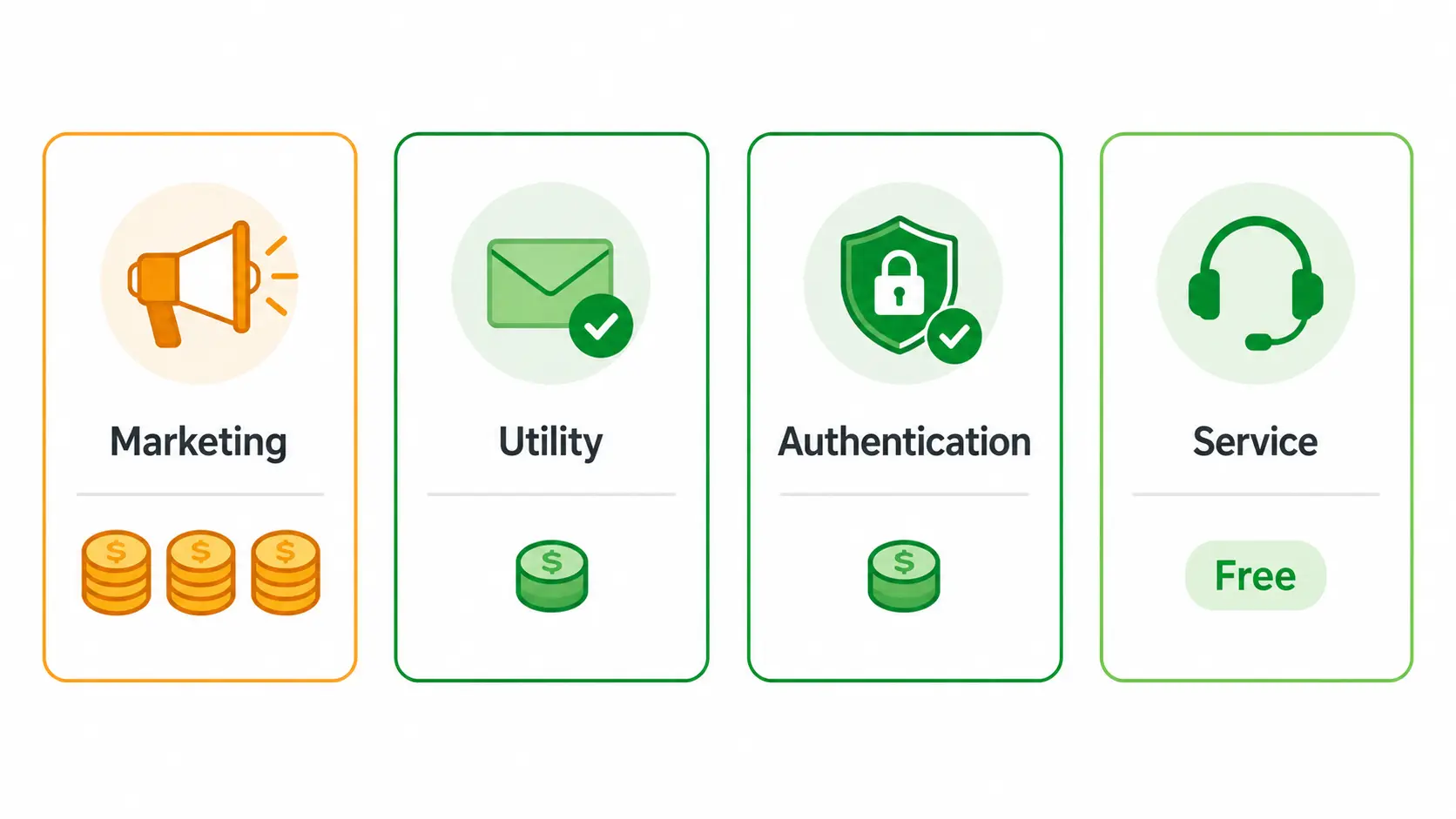
That utility-in-window rule is the one worth designing around: if a customer messages you first, your bot can send utility templates like an order summary or shipping update during that 24-hour window at no cost. Build your flows to do the paid work inside that window and you cut a real chunk off the bill.
What Actually Drives Your Bill
Three things decide what you pay:
- Message category - marketing costs the most; utility and authentication are far cheaper; service is free.
- Recipient country - rates are set by where the customer is, not where you are, and vary widely between markets.
- Your provider - if you go through a BSP rather than direct Cloud API, expect a platform fee or per-message markup on top of Meta's charges.
The practical cost lever: lean on the free service window. When automation handles conversations inside that 24-hour window and you reserve paid marketing templates for genuinely worthwhile sends, the channel stays cheap. Treat it like an SMS blast and the per-message model gets expensive fast.
Real-World WhatsApp Business API Use Cases
The API shows up across nearly every industry, but the actual jobs it does fall into four buckets. Here's what each looks like in practice.
Customer Support and Automation
The most common use of all: handling customer questions where customers already are.
- AI and bot support - chatbots answer FAQs, track orders, and resolve common issues instantly, then hand off to a human for the hard ones.
- Free-window replies - because service messages inside the 24-hour window are free, support is one of the cheapest things to run on WhatsApp.
E-Commerce and Order Updates
Where WhatsApp drives the most direct revenue, across the buying journey:
- Order and shipping notifications - confirmations, tracking links, and delivery updates sent as utility templates.
- Cart recovery - nudge customers who added items but didn't check out.
- In-chat product discovery - customers browse, ask, and order inside the conversation instead of bouncing to a site.
Marketing and Re-Engagement
Reaching opted-in customers on a channel they actually open:
- Opt-in broadcasts - promotions, new arrivals, and offers sent to a consented list.
- Personalized campaigns - messages tailored to past purchases or preferences, which tend to convert better than email.
- Loyalty and re-engagement - points, rewards, and win-back nudges to customers who've gone quiet.
Authentication and Notifications
Using WhatsApp as a secure, reliable delivery channel:
- One-time passcodes - OTPs and verification codes, which must use authentication-category templates. WhatsApp's encryption makes it a strong alternative to SMS, especially against SIM-swap attacks.
- Account and transaction alerts - login confirmations, payment notifications, and appointment reminders.
Across all four, the common thread is integration: each one only works because your backend - a CRM, store, or helpdesk - triggers the right WhatsApp message at the right moment automatically, without anyone typing it by hand.
WhatsApp Business API Alternatives: Unified APIs vs. Direct Meta Integration
Worth clearing up first: unlike some platform APIs, there's no way around Meta here. Every legitimate path to the WhatsApp Business API runs through Meta's official Cloud API - the real choice is whether you integrate with it directly or through a managed layer on top.
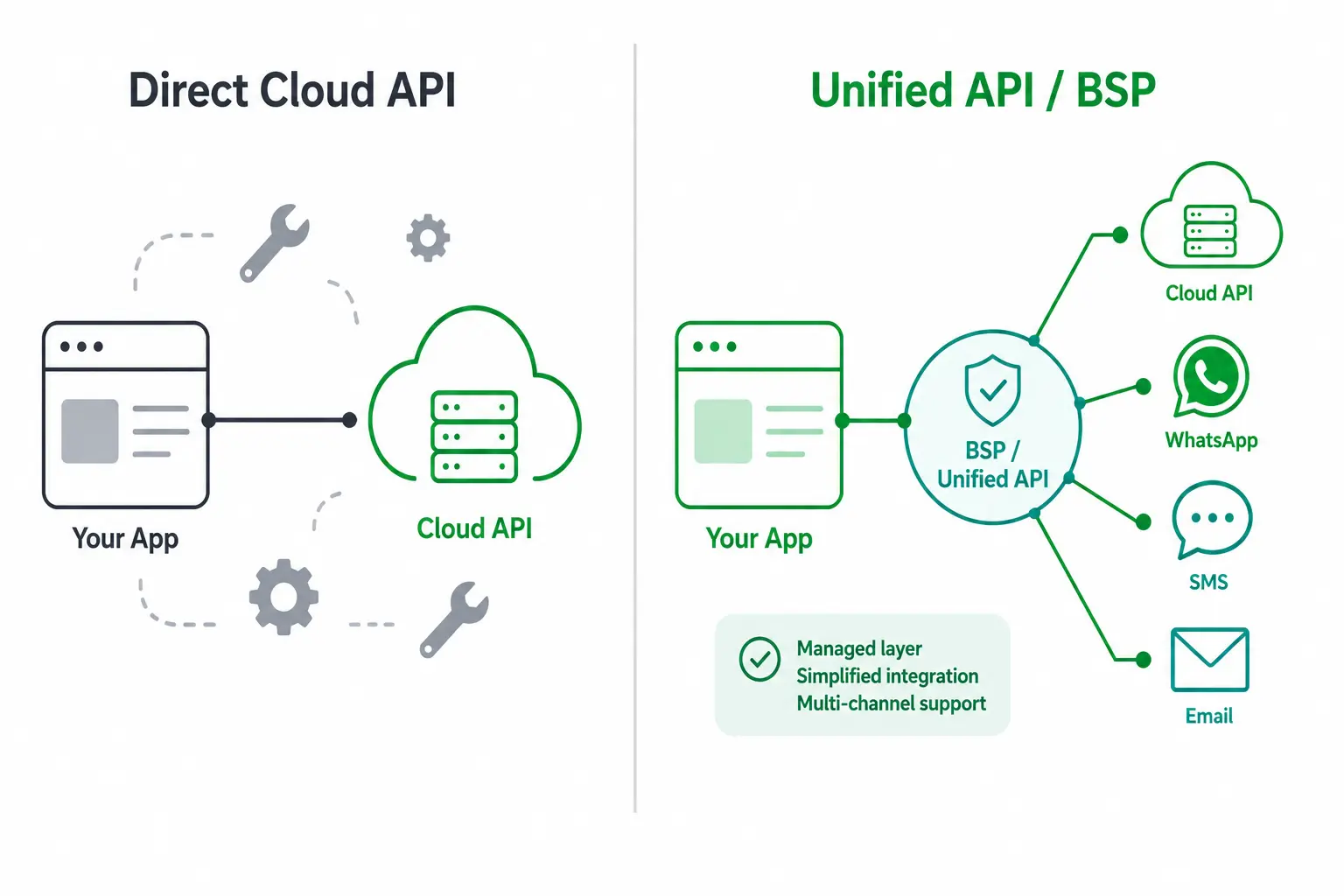
Direct Cloud API Integration
You build straight against Meta's Cloud API yourself.
- Lowest cost - you pay Meta's per-message rates with no provider markup on top.
- Full control - nothing sits between your code and Meta.
- You own the work - webhook handling, template management, token refresh, quality monitoring, and any inbox or UI are all yours to build and maintain.
Unified APIs and BSPs
A Business Solution Provider or unified API wraps Meta's Cloud API in a managed layer.
- Faster setup - an Embedded Signup flow handles the Meta onboarding steps for you.
- Less to maintain - the provider absorbs template handling, webhook plumbing, and often a ready-made inbox.
- One API across channels - a unified API typically adds other channels (like email or other messaging apps) behind the same interface, so WhatsApp isn't a separate integration.
The tradeoff is cost and dependency: you pay a platform fee or per-message markup on top of Meta's rates, and you rely on the provider as the layer between you and WhatsApp.
Which One Fits
If you have the engineering time and want the lowest per-message cost, direct Cloud API wins. If you'd rather skip the build and maintenance - or you need WhatsApp alongside other channels in one integration - a unified API or BSP is the faster route, and the markup buys back the engineering time you'd otherwise spend.
Postpress: Connect WhatsApp Without the Meta Setup and BSP Overhead
Postpress lets you send and receive WhatsApp messages through a connected account you control, skipping the WABA, Business Verification, template approvals, and BSP fees the official path requires.
Instead of provisioning a WhatsApp Business Account with Meta and onboarding through a provider, you authenticate an account and call Postpress endpoints on its behalf, through one REST interface that also covers LinkedIn, Gmail, and Instagram.
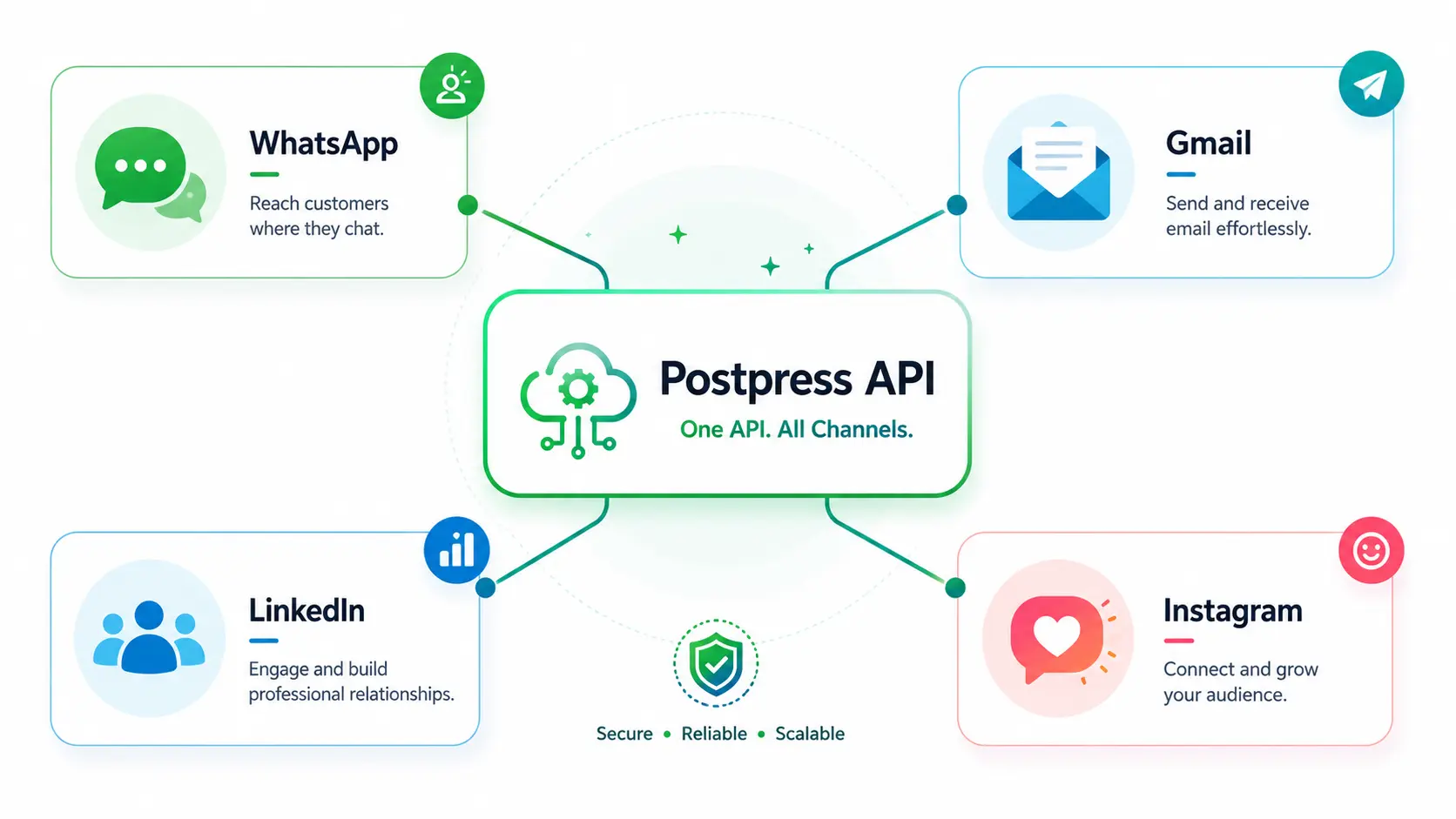
What the official setup asks for, and what Postpress skips:
- No WABA to create - no WhatsApp Business Account provisioning.
- No Business Verification wait - skip the document review.
- No pre-approved templates - no template submission to start a conversation.
- No BSP contract or markup - no provider fees to negotiate.
- One account you control - callable through a REST API in minutes.
Send Messages, Sync Chats, and Manage Contacts via One API
Through a single connected account, Postpress covers the everyday messaging actions:
- Send and receive messages - read and reply to WhatsApp conversations programmatically.
- Sync chats and conversations - keep threads aligned with your app or CRM.
- Manage contacts - pull and keep contact records current.
- Webhooks - receive message and status events in real time instead of polling.
Because Postpress uses one account-and-inbox model, the same request shape works across every channel. Adding Gmail, LinkedIn, or Instagram isn't a separate integration, it's the same code pointed at a different connected account. On top of that data layer, it adds optional AI primitives: contact enrichment, intent and ICP scoring, reply drafting, and conversation summarization.
Typical builders are CRMs, helpdesks, sales and outbound tools, and AI agents that need WhatsApp messaging, sync, and contact data without owning the OAuth flow, token refresh, rate handling, and breakage when the platform changes. It comes with a dashboard - workspaces, connected accounts, a unified inbox, and webhooks - alongside the API, plus a 7-day free trial.
Where Postpress Fits, and Where It Doesn't
Two honest caveats before you build on it:
- It's a paid managed layer - you depend on Postpress and pay for it, instead of building and policing a direct Meta integration yourself.
- It connects an account, not the official Cloud API - so it fits conversational, inbox-style, and agent-driven WhatsApp: two-way messaging, support, sync, and contact management.
Where it isn't the right tool:
- High-volume marketing broadcasts - stay on the official Cloud API or a BSP.
- Click-to-WhatsApp ads - these need the official platform.
- Large-scale OTP and authentication - belongs on the verified-business path.
Use Postpress as the fast path for conversational and agent-driven WhatsApp, and connect an account to send your first message in minutes.
Official WhatsApp Business API vs. Postpress: Feature Comparison
These two solve different shapes of the same problem. The official Cloud API is the compliant, high-scale broadcast platform; Postpress is the fast path to conversational, two-way WhatsApp. Here's how they line up.
| For WhatsApp | Official Cloud API | Postpress |
|---|---|---|
| How you get access | Create a WABA, verify your business, onboard direct or via a BSP | Connect a WhatsApp account you control |
| Time to first message | Days (verification and template approvals) | Minutes |
| Message templates | Pre-approved templates required outside the 24-hour window | Not required for conversational messaging |
| Two-way messaging & sync | Yes | Yes |
| Contact management | Via your own build on the API | Built in |
| Multi-channel | WhatsApp only | One API across WhatsApp, LinkedIn, Gmail, Instagram |
| High-volume marketing broadcasts | Yes - the platform built for it | Not the right tool |
| Click-to-WhatsApp ads & large-scale OTP | Yes | No |
| Compliance & account safety at scale | Meta's sanctioned route | Best for conversational, agent-driven use |
| Maintenance | You build and maintain it (or pay a BSP) | Managed by Postpress |
| Pricing | Per-message by category and country, plus any BSP markup | Published product with a 7-day free trial |
The honest split:
- Choose the official Cloud API if you need verified-business marketing broadcasts, click-to-WhatsApp ads, or OTP and authentication at scale. It's Meta's sanctioned route for high-volume sending.
- Choose Postpress if you need conversational, inbox-style, or agent-driven WhatsApp fast - two-way messaging, sync, and contact data - ideally alongside other channels in one integration.
They're not mutually exclusive, either: plenty of teams run official broadcasts for marketing and a connected-account layer for conversational and agent workflows.
WhatsApp Business API FAQ
Is the WhatsApp Business API Free?
The API itself is free; the messages aren't always.
- Free - the Cloud API has no licence fee, and service messages (your replies inside a customer's 24-hour window) cost nothing. Utility templates sent inside that window are free too.
- Paid - business-initiated template messages are charged per message, by category and recipient country, with marketing the most expensive.
- Plus any provider fee - go through a BSP and you pay a platform fee or markup on top of Meta's rates.
So "free to start, pay as you send." If you connect through Postpress instead, you skip the BSP markup and pay Postpress's published pricing, with a 7-day free trial to test first.
Do You Need Meta Approval to Use the WhatsApp Business API?
For the official API, yes - in two forms:
- Account setup - you create a WhatsApp Business Account and, to send at real volume, complete Meta Business Verification.
- Template approval - every template that starts a conversation outside the 24-hour window must be reviewed and approved by Meta.
The approvals are what add days to setup. Postpress takes a different route: you connect a WhatsApp account you control and message through it, so there's no WABA, no Business Verification wait, and no template approval for conversational messaging. The tradeoff, covered above, is that this fits conversational and agent-driven use, not high-volume marketing broadcasts, which still need the official approved path.
Can You Use the WhatsApp Business API and the Business App on the Same Number?
No. A phone number can only live on one WhatsApp product at a time. A number that's already on the WhatsApp Business app (or personal WhatsApp) has to be deleted from there before you can register it on the API.
- The common fix - use a separate dedicated number for the API and keep the Business app on its own number.
- The migration - if you must keep the same number, delete the account from the app first, then register it on the API (you lose the app's local chat history in the move).