
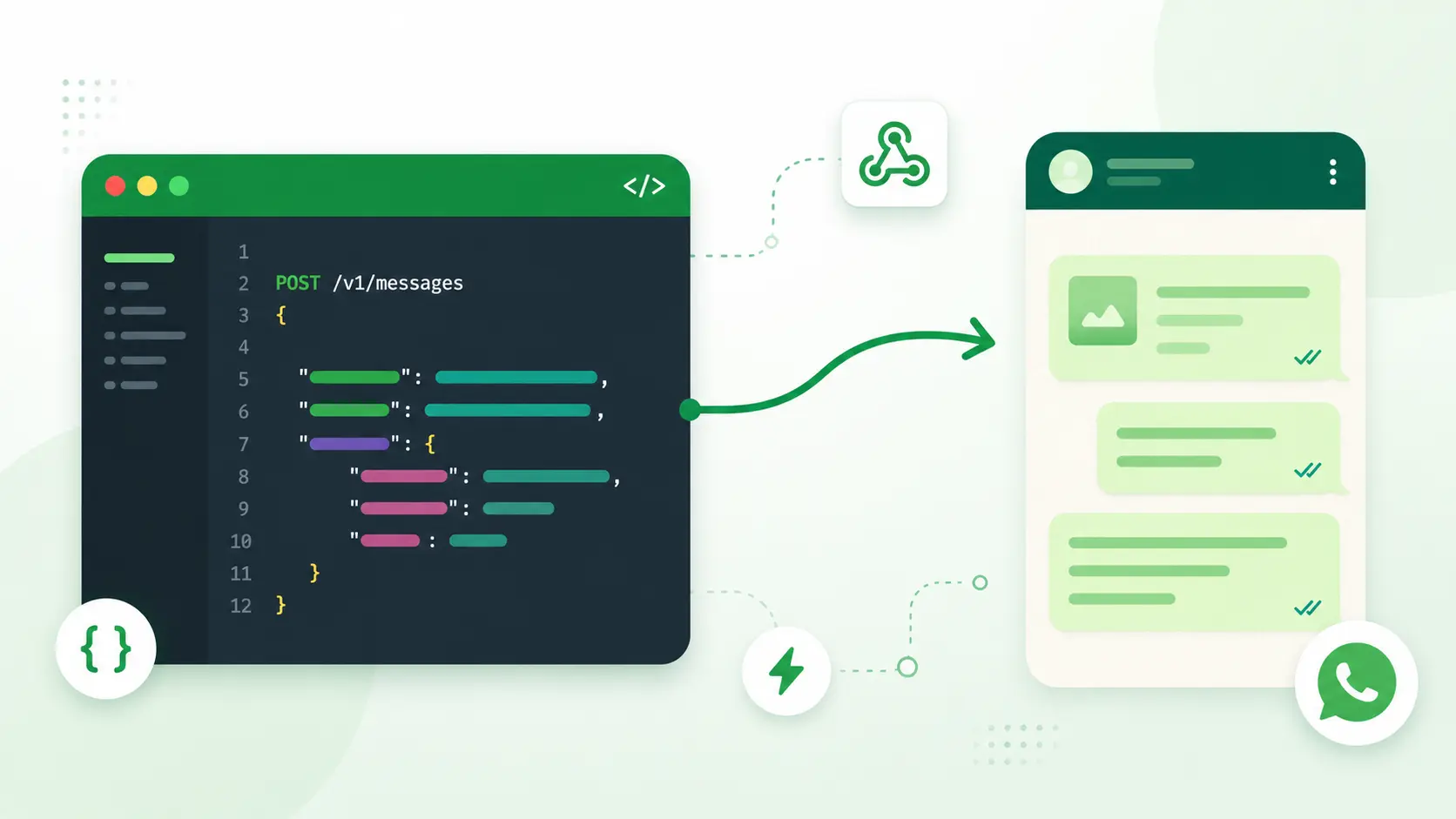
Sending WhatsApp messages from your own software is one of the highest-impact features you can add to a CRM, ATS, support desk, or outreach tool, because WhatsApp is where customers and candidates actually reply. The catch isn't writing the message. It's getting permission to send it: Meta's official API requires a Business Account, verification, and approved templates before your first line goes out.
This guide covers how to send WhatsApp messages programmatically, what the official routes cost you in setup time, and how to connect a WhatsApp account through Postpress in minutes with one REST call.
What Is the WhatsApp API?
The WhatsApp API lets your software send and receive WhatsApp messages with code instead of a phone screen. Unlike the consumer or Business mobile apps, an API exposes endpoints your backend calls directly. With it, you can:
- Send text, media, and voice - push messages out programmatically.
- Read chat history - pull past conversations into your app.
- Manage contacts - keep contact records current.
- Receive events - get delivery and reply notifications in real time.
That makes it the building block for any product that handles conversations: support desks, recruiting tools, sales and outreach platforms, and AI agents that need to act inside a real inbox.
Official Ways to Send Messages with WhatsApp
Meta offers three WhatsApp products, but only one is built to send messages from your own software. Knowing which is which saves you days of wrong turns.
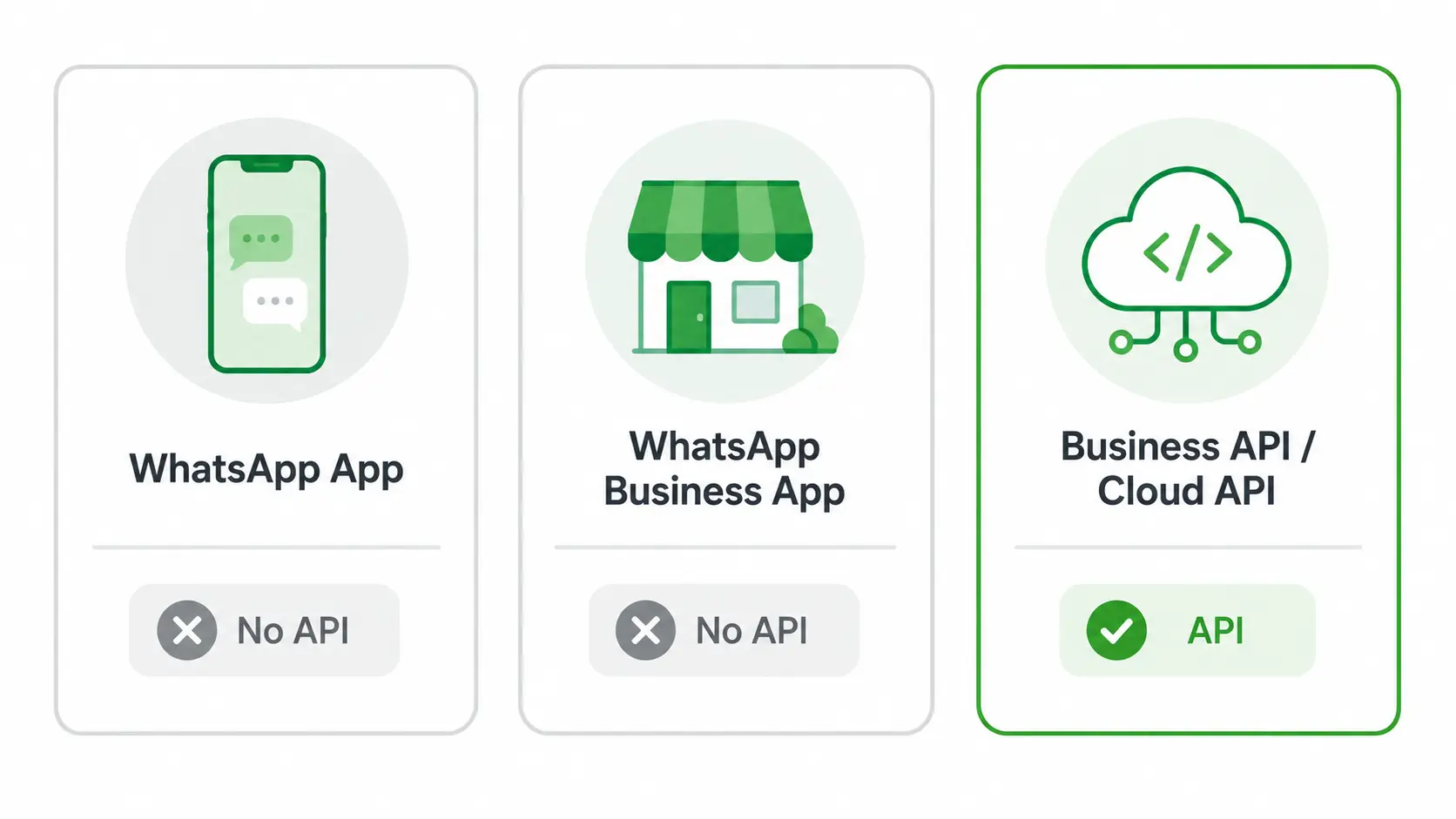
WhatsApp App (Classic)
The standard consumer app has no public API, so Meta gives you no built-in way to send or automate messages from it. It's designed for personal, one-to-one chat on a phone - not for programmatic messaging from your backend.
WhatsApp Business App
The Business app adds quick replies, labels, and a catalog for small teams, but it also ships no developer API. It's built for a person tapping a screen, not for code, so multi-user or multi-account messaging at scale isn't possible through the app alone.
WhatsApp Business API and Cloud API
These are Meta's official APIs, and the path built for sending at scale. Two things to know:
- On-premise vs. Cloud - the original Business API was self-hosted; the Cloud API is hosted by Meta and is now the only option for new builds, since Meta sunset the on-premise version on October 23, 2025.
- The onboarding gates - you can register and send a baseline volume (around 250 business-initiated conversations a day) right away; full Business Verification unlocks higher tiers. Each message is charged, and conversations started outside the 24-hour window need an approved template.
Between the three, the official Cloud API is the only programmatic path Meta provides, and it's the right tool for high-volume broadcasts, ads, and OTP at scale.
WhatsApp Cloud API: Meta's Simplified Alternative
When Meta retired the self-hosted on-premise Business API, the Cloud API became its simplified alternative - and now the only official path for new builds. The difference is who runs the infrastructure:
- On-premise Business API (retired) - you hosted it yourself: your own server, database, and security patching to maintain.
- Cloud API (current) - Meta hosts everything. No server to run, and scaling is handled for you.
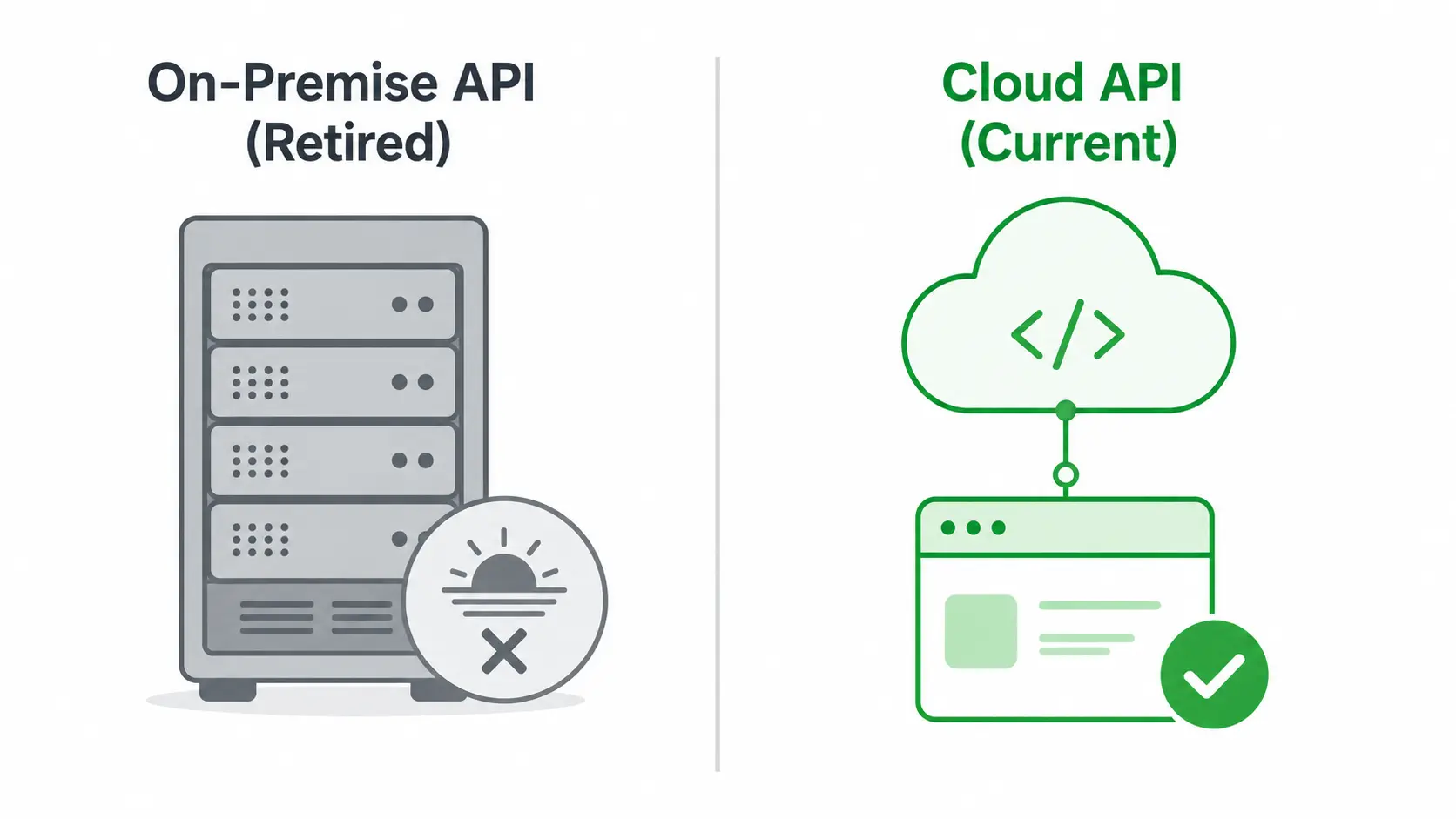
That's the part the Cloud API genuinely simplifies. But it only removes the infrastructure, not the process - and that distinction matters:
- Still needs a WhatsApp Business Account and Meta-approved templates for messages sent outside the 24-hour window.
- Still bills per message by category and country.
So the Cloud API is a real upgrade over self-hosting, but the verification and template-approval wait stays the same. For a fast-moving team, that wait is usually the real cost - often days before a first message goes out. That's the gap a connected-account API is built to close, which the next section covers.
Sending Messages with the Postpress WhatsApp API
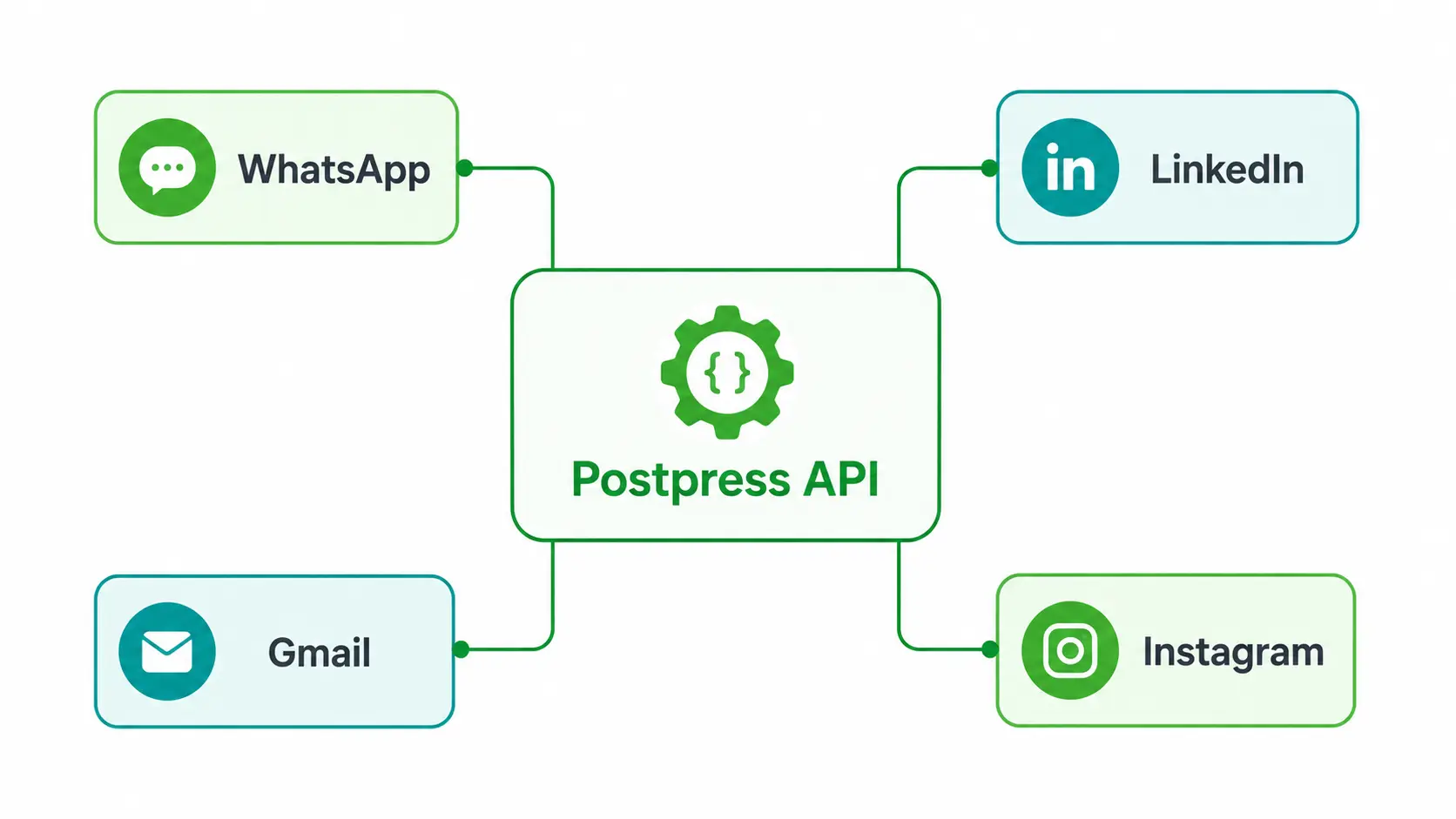
Postpress lets your users connect a WhatsApp account they already control and send messages through it over REST - no WhatsApp Business Account, no Business Verification, and no template approval for conversational messaging. A user pairs their account once by QR code, and from then on your backend sends and reads messages through the same endpoints you use for LinkedIn, Gmail, and Instagram.
Send a message into an existing conversation with one call:
curl --request POST \
  --url https://api.postpress.io/api/v1/chats/{chat_id}/messages \
  --header 'X-API-KEY: YOUR_API_KEY' \
  --header 'content-type: application/json' \
  --data '{ "text": "Hi Daniel, here is the sandbox link you asked for." }'
Start a brand-new conversation and send the first message in the same request:
curl --request POST \
  --url https://api.postpress.io/api/v1/chats \
  --header 'X-API-KEY: YOUR_API_KEY' \
  --header 'content-type: application/json' \
  --data '{
    "account_id": "acc_whatsapp_1",
    "attendees_ids": ["<whatsapp_attendee_id>"],
    "text": "Hi Sam, thanks for the demo request."
  }'
The same in Node.js:
const res = await fetch(
  `https://api.postpress.io/api/v1/chats/${chatId}/messages`,
  {
    method: "POST",
    headers: {
      "X-API-KEY": process.env.POSTPRESS_API_KEY,
      "content-type": "application/json",
    },
    body: JSON.stringify({ text: "Got it, thanks!" }),
  }
);
const message = await res.json();
The pattern stays the same whichever channel you're on: authenticate once, then POST to a chat to send and GET to read. Because the request shape is shared across WhatsApp, LinkedIn, Gmail, and Instagram, adding a channel isn't a new integration - it's the same code pointed at a different connected account.
Why Sending Messages via Postpress Is Simpler
The simplicity comes down to one idea: you connect once and reuse the same request shape everywhere, so adding WhatsApp doesn't mean learning a new API. A few things fall away compared to the official path:
- No templates to submit - conversational replies don't need Meta's template review.
- No message-count window to manage - you reply in a normal chat flow instead of tracking 24-hour windows for two-way conversation.
- Predictable pricing - cost is per connected account, so it doesn't swing with message volume the way per-message billing does.
There's one more difference worth calling out. Postpress ships an AI layer next to the messaging endpoints, so the reply you send can be drafted in context and scored for intent before it goes out. That moves you from sending messages to sending the right message, on the same API key.
The honest tradeoff stays the same as any managed layer: you depend on Postpress and pay for it, rather than building and maintaining a direct Meta integration yourself. For conversational and agent-driven WhatsApp, that's usually the trade most teams want; for high-volume marketing broadcasts and OTP at scale, the official Cloud API is still the right tool.
Send Text and Voice Messages with the WhatsApp API
Postpress sends both text and voice notes through the same chat endpoints, so you don't need a separate path for each:
- Text - the default message body, synced in real time, so outbound and inbound messages appear exactly as they do in the WhatsApp app.
- Voice notes - attached as audio, which fits recruiters leaving feedback or sales reps adding a personal touch.
Both play back inside your own UI with timestamps and read receipts intact, so the conversation reads the same in your product as it does on a phone - no detail lost in the sync.
Manage Group Conversations and Collaboration
Postpress brings WhatsApp group conversations into your product, so a shared thread lives inside your app instead of only on someone's phone. From a connected account, your users can:
- List and read group chats - pull group conversations into your app from the connected account.
- Sync messages and media in real time - every message and file stays current, with webhook delivery handled for you.
For ATS, CRM, and outreach tools where several teammates touch the same contact, that keeps candidate or client discussions in one place rather than scattered across personal devices.
All WhatsApp Messaging Features You Can Integrate via API
Postpress groups WhatsApp into four capability areas, each driven by a small set of REST endpoints: account connection, messages, attachments, and webhooks. Together they cover the full round trip of a conversation, from pairing an account to receiving a reply.
Account Connection
Connect a personal or Business WhatsApp account by QR code, white- labeled inside your product, with no Meta verification. Your backend generates a single-use hosted link with POST/hosted/accounts/link, the user scans it with WhatsApp, and the account is live. See the hosted connection endpoint and the WhatsApp connection guide for the full flow.
Messages
Send, reply, list, and sync messages across one-to-one and group chats from a connected account. Send into an existing thread with POST/chats/{chat_id}/messages, open a new conversation with POST/chats, and read history with GET/chats/{chat_id}/messages. See the send messages reference and the chats endpoint for parameters.
Attachments
Exchange media and voice notes, and pull any file back down with a GET/messages/.../attachments/... request. The attachment id arrives on the message object, so you fetch the binary only when you need it:
curl --request GET \
  --url https://api.postpress.io/api/v1/messages/{message_id}/attachments/{attachment_id} \
  --header 'X-API-KEY: YOUR_API_KEY' \
  --output attachment.bin
See the attachment endpoint for the response details.
Webhooks
Receive every inbound and outbound message, new chat, and status change in real time, so you never poll. Point a webhook at your endpoint once and Postpress streams events as they happen across every connected account. See the webhooks overview to subscribe.
Why Choose Postpress Instead of Meta's Official WhatsApp API
These two aren't really competing for the same job. Choose Postpress when you need conversational, two-way, or agent-driven WhatsApp live in days. Keep Meta's Cloud API when you need high-volume marketing broadcasts, click-to-WhatsApp ads, or OTP at scale. They're not mutually exclusive, and many teams run both.
| Meta WhatsApp Cloud API | Postpress | |
|---|---|---|
| How you get access | Business Account + verification | Connect an account you control |
| Onboarding | Template review before first send | QR pairing inside your product |
| Message templates | Required for business-initiated | Not required for conversational |
| 24-hour window | Applies | Standard chat continuity |
| Media and voice | Supported | Send and receive files and voice notes |
| Groups | Not available | List and read groups in-app |
| Cross-channel | Separate build per provider | Same model for LinkedIn, Gmail, Instagram |
| Best for | High-volume broadcast, OTP, ads | Conversational, inbox, AI agents |
The honest read: if your product lives on two-way conversations and AI-driven replies, Postpress gets you there faster and across channels. If it lives on verified-business broadcasts at scale, that stays with the official Cloud API - and running both side by side is a perfectly normal setup.
How to Connect WhatsApp with Postpress in Minutes
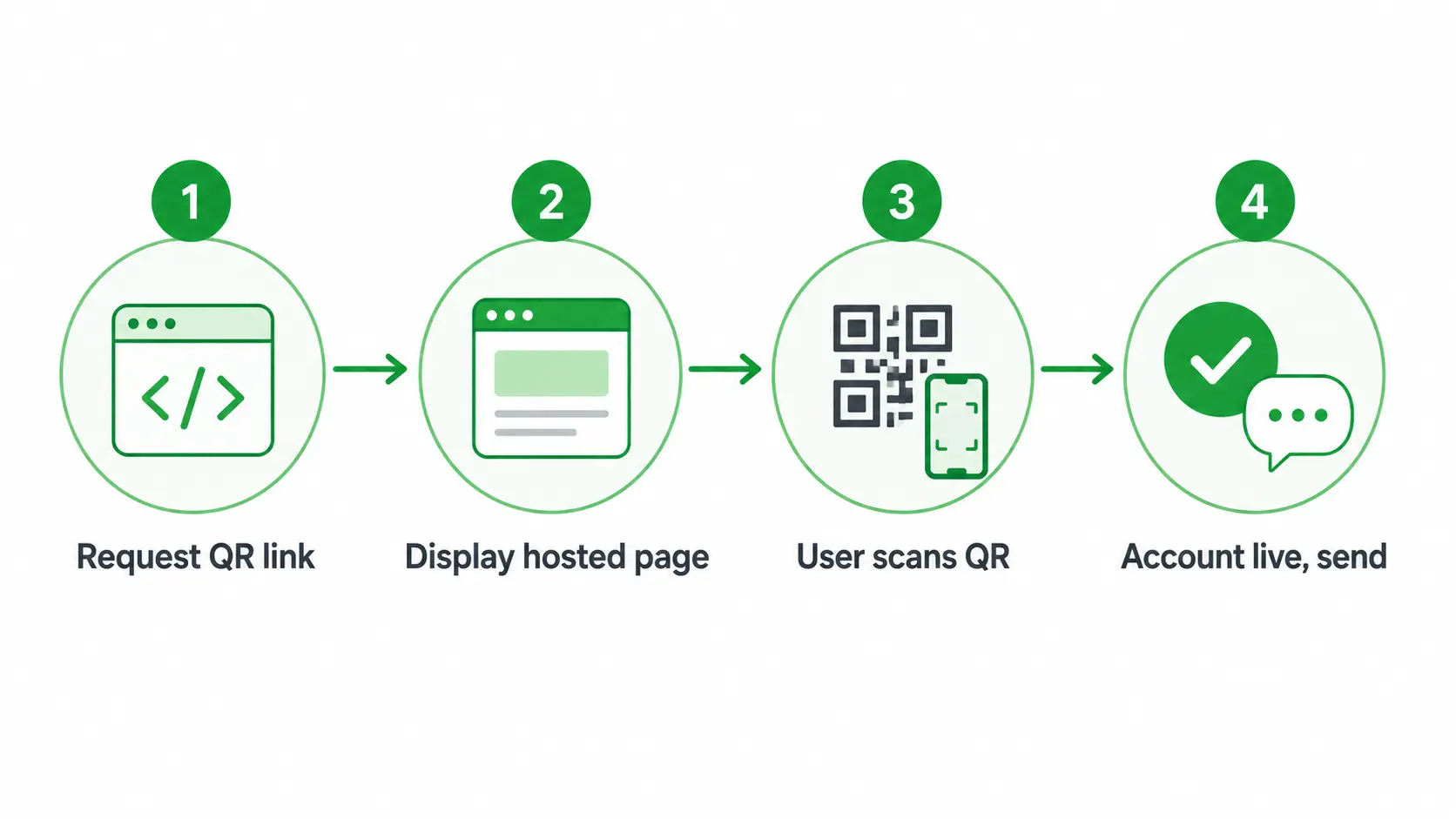
Connecting takes three steps: get a key, generate a QR link, and send. Here's the flow.
1. Sign Up and Create an API Key
Create a Postpress account and copy your access token from the dashboard. Every request carries it in the X-API-KEY header, so this is the one credential your backend needs.
2. Generate a Hosted QR Connection Link
Call POST/hosted/accounts/link with the WhatsApp provider to get a single-use, white-labeled URL your user opens to scan the QR code:
curl --request POST \
  --url https://api.postpress.io/api/v1/hosted/accounts/link \
  --header 'X-API-KEY: YOUR_API_KEY' \
  --header 'content-type: application/json' \
  --data '{
    "type": "create",
    "providers": ["WHATSAPP"],
    "api_url": "https://api.postpress.io",
    "expiresOn": "2026-12-31T23:59:59.999Z",
    "success_redirect_url": "https://yourapp.com/connected"
  }'
From the user's side, the pairing is four moments:
- Your app requests the QR link.
- You display the hosted page.
- They scan it with WhatsApp, and Postpress confirms the pairing.
- The account goes live and you can send.
3. Start Messaging
Once the account is connected, send into any chat with POST/chats/{chat_id}/messages, or open a new conversation with POST/chats. From here it's the same send-and-read pattern shown earlier.
Explore More with the Messaging API
The same integration also connects LinkedIn, Gmail, Outlook, Instagram, Telegram, and X. One connection gives your users a true cross-channel inbox with a single webhook stream, so WhatsApp is the first channel you add, not the only one.
Integration Support and Resources for WhatsApp API Success
Getting to a first sent message is one thing; shipping a stable integration is another. Postpress covers the parts that usually slow a build down.
Fast Integration, No Complexity
Postpress handles authentication and synchronization for you, so you move from test to production without Meta's approval path or any hosting setup. The connection is the QR pairing shown above; the rest is the same REST calls across every channel.
Expert Support from Start to Launch
You get documentation, working code samples, and direct technical help through the build, so a first integration lands in days rather than dragging across weeks of trial and error.
Always Up to Date and Scalable
When a provider changes how it works, Postpress tracks it for you, so the WhatsApp, LinkedIn, and Gmail connectors stay current without you patching them by hand as you scale.
WhatsApp API to Send Messages FAQ
Can I Send WhatsApp Messages Directly from My Software Using Postpress?
Yes. Connect a WhatsApp account by QR code, then send text, voice notes, and attachments through POST/chats/{chat_id}/messages, all inside your own product.
What's the Difference Between Meta's WhatsApp Business API and Postpress?
Meta's Cloud API needs a verified Business Account and approved templates, and it's built for high-volume broadcast. Postpress connects an account you control for conversational and agent-driven messaging with no templates. The two solve different jobs, and many teams run them side by side.
Does Postpress Support the WhatsApp App and Business App?
Yes. Postpress connects personal and Business WhatsApp accounts by QR pairing - neither of which exposes an official Meta API on its own.
Can I Send Media Files and Voice Notes Through the API?
Yes. Send media and voice as attachments, and retrieve any file with GET/messages/.../attachments/....
How Long Does It Take to Integrate?
Most teams send their first WhatsApp message the same day and ship a full connection within days, since there's no verification or template review to wait on.
Is Postpress Secure and Compliant?
Postpress runs on each user's own authenticated session with managed synchronization and webhook delivery, and never asks your users to hand their WhatsApp credentials to your app.